
For fiber and telecom operators
Every door knocked, every sale, on one map.
MasterField runs field sales: territories, the day’s plan, sellers live, equipment and objectives. Managers steer from the office; sellers work door after door, even without signal.
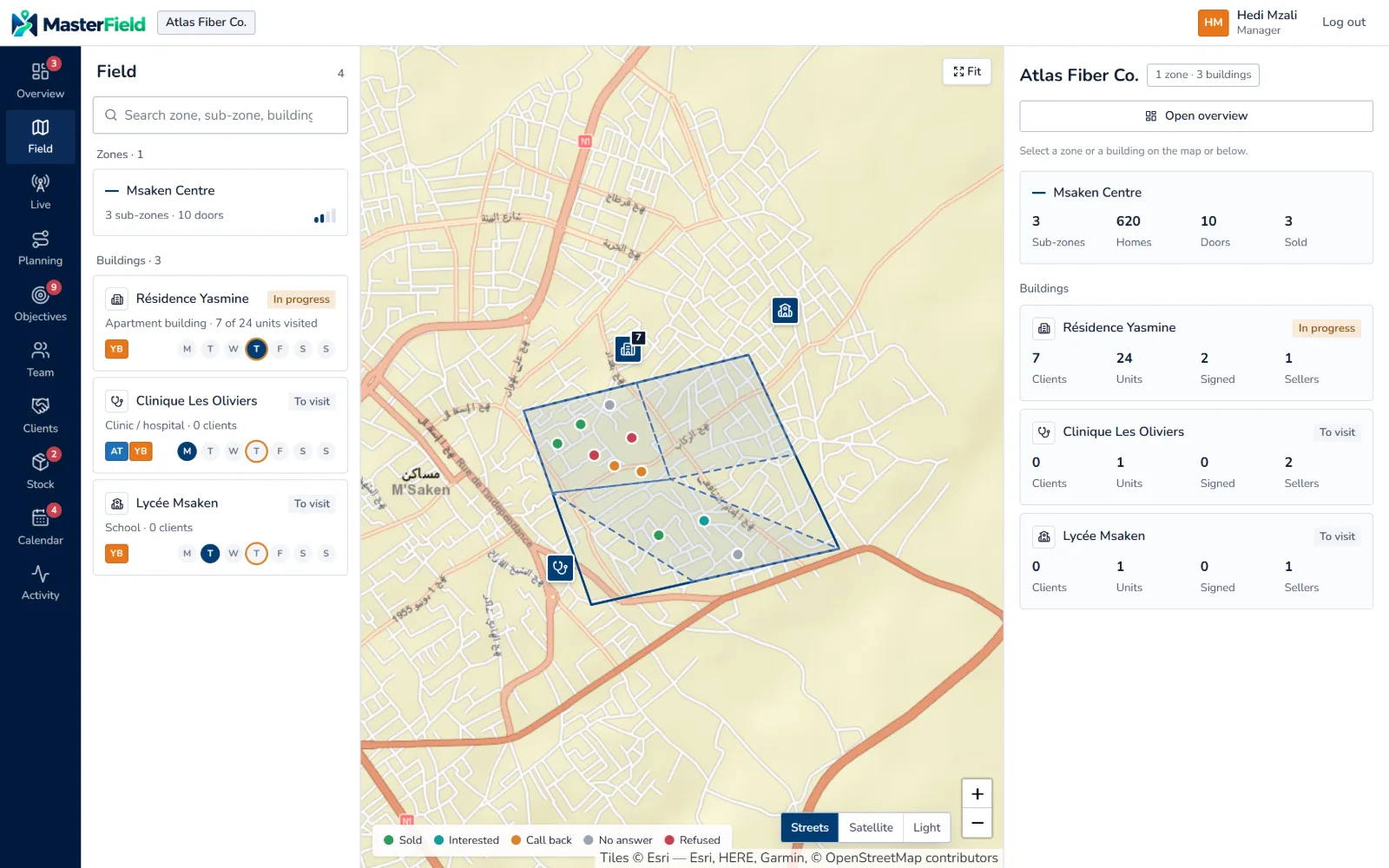
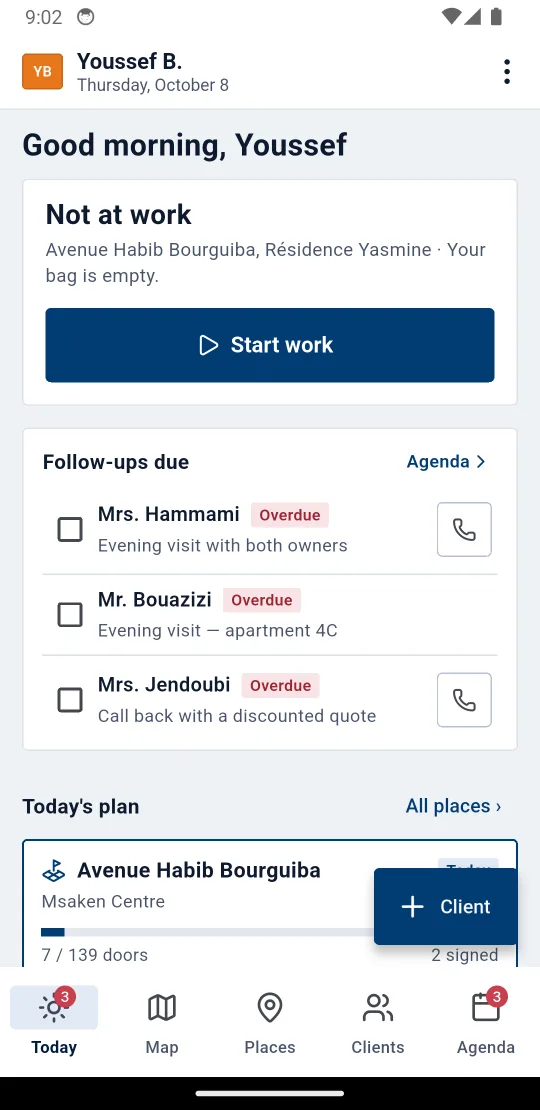
What is late comes first
Overdue follow-ups, objectives falling behind, equipment not returned: managers see it the moment they open the page.
Built for the field
Sellers log every door offline; everything is sent as soon as there is signal.
The operator’s own numbers
Homes passed, take-up, units signed — not a generic CRM pipeline.
The platform
From territory to signed sale
Territories and map
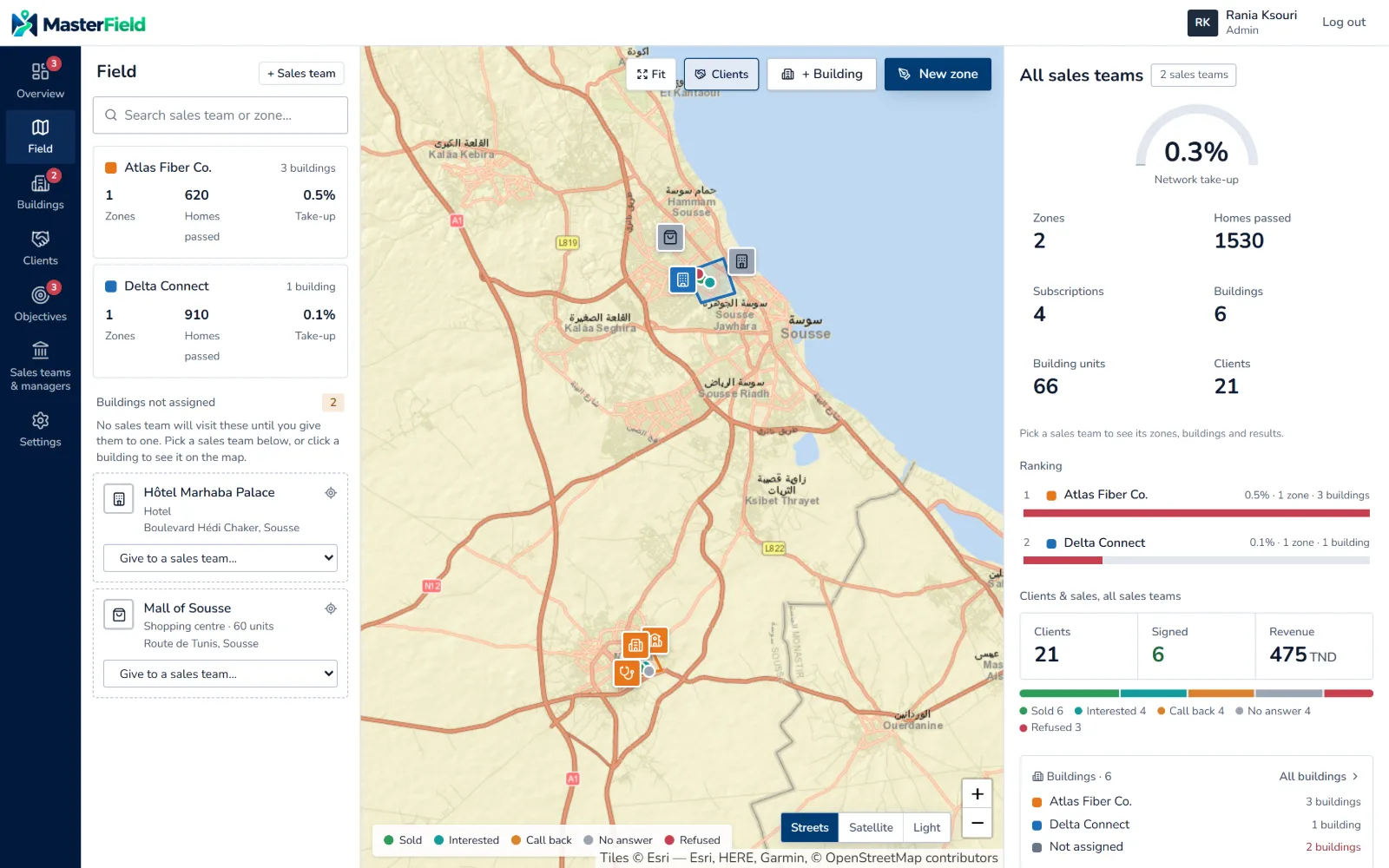
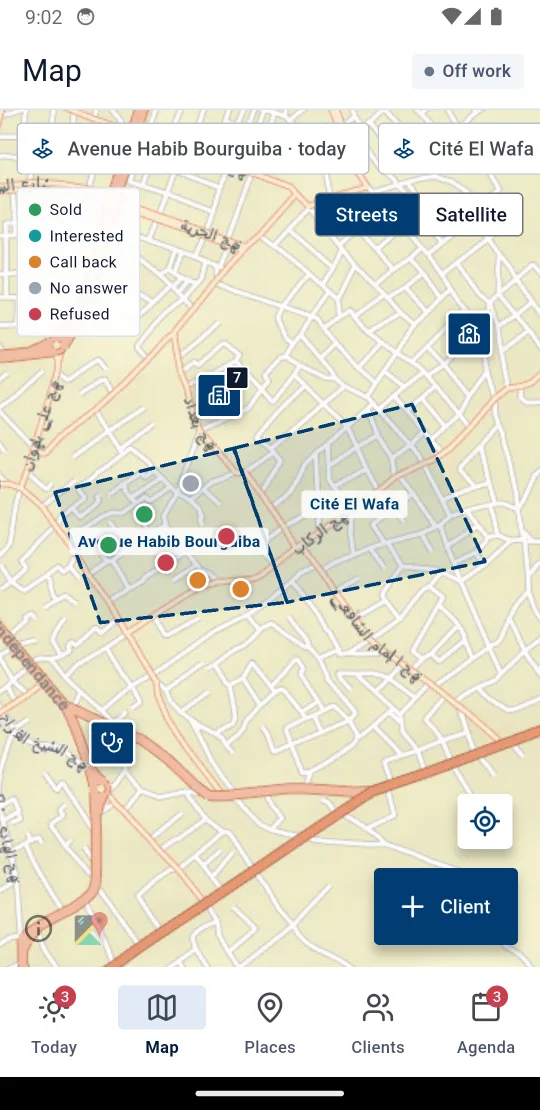
Head office draws zones and sub-zones on the map, imports buildings and gives them to the sales teams. Every client sits at their door, in the colour of their outcome.
- Zones, sub-zones and buildings with homes passed
- Building import from CSV or GeoJSON
- Streets, satellite or light map
The day’s plan
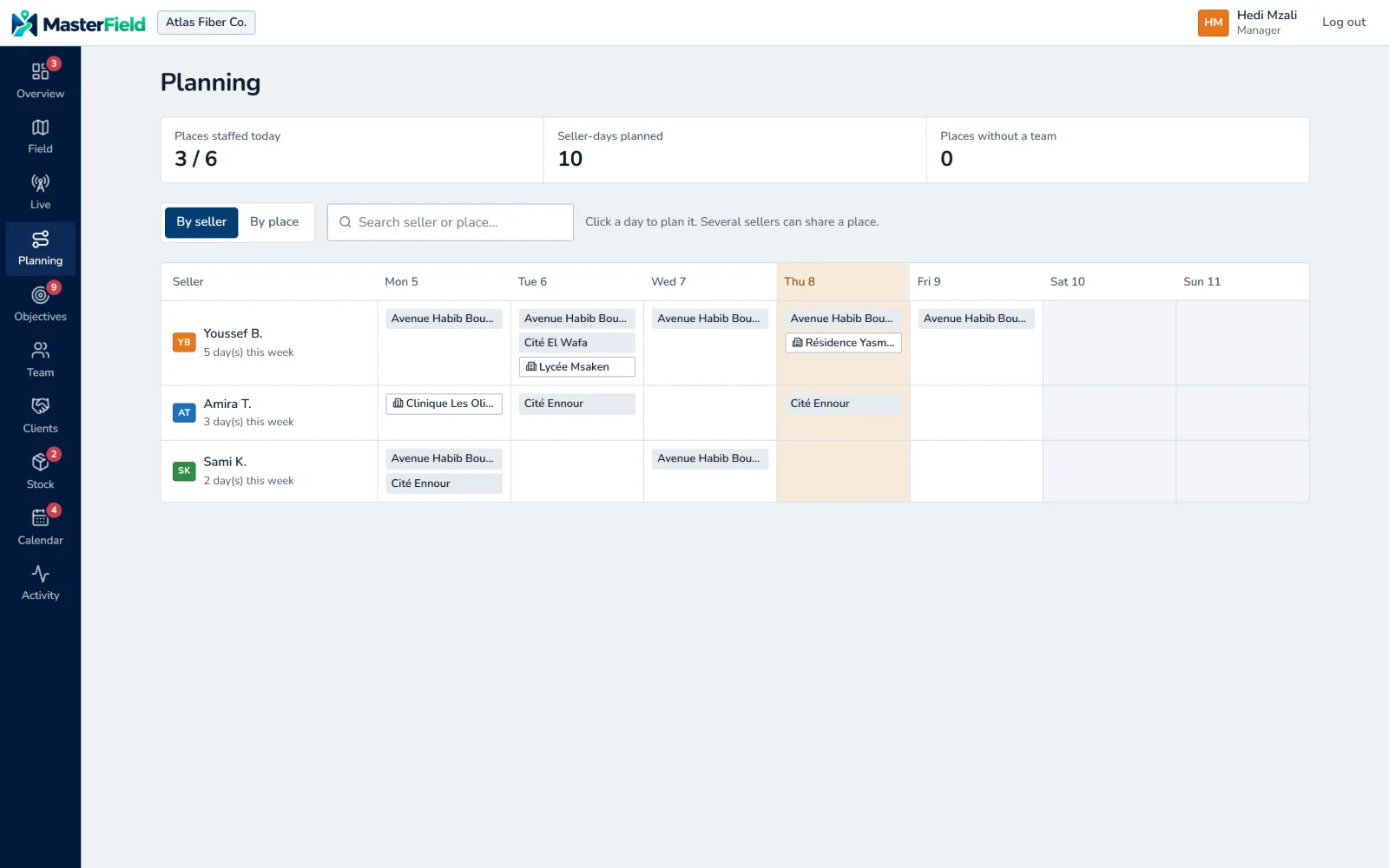
Managers assign sellers to their places each day. Sellers find their plan in the app, and managers see who is in the field and where.
- By place or by seller, across the week
- Live positions during working hours
- The day’s route replayed on the map
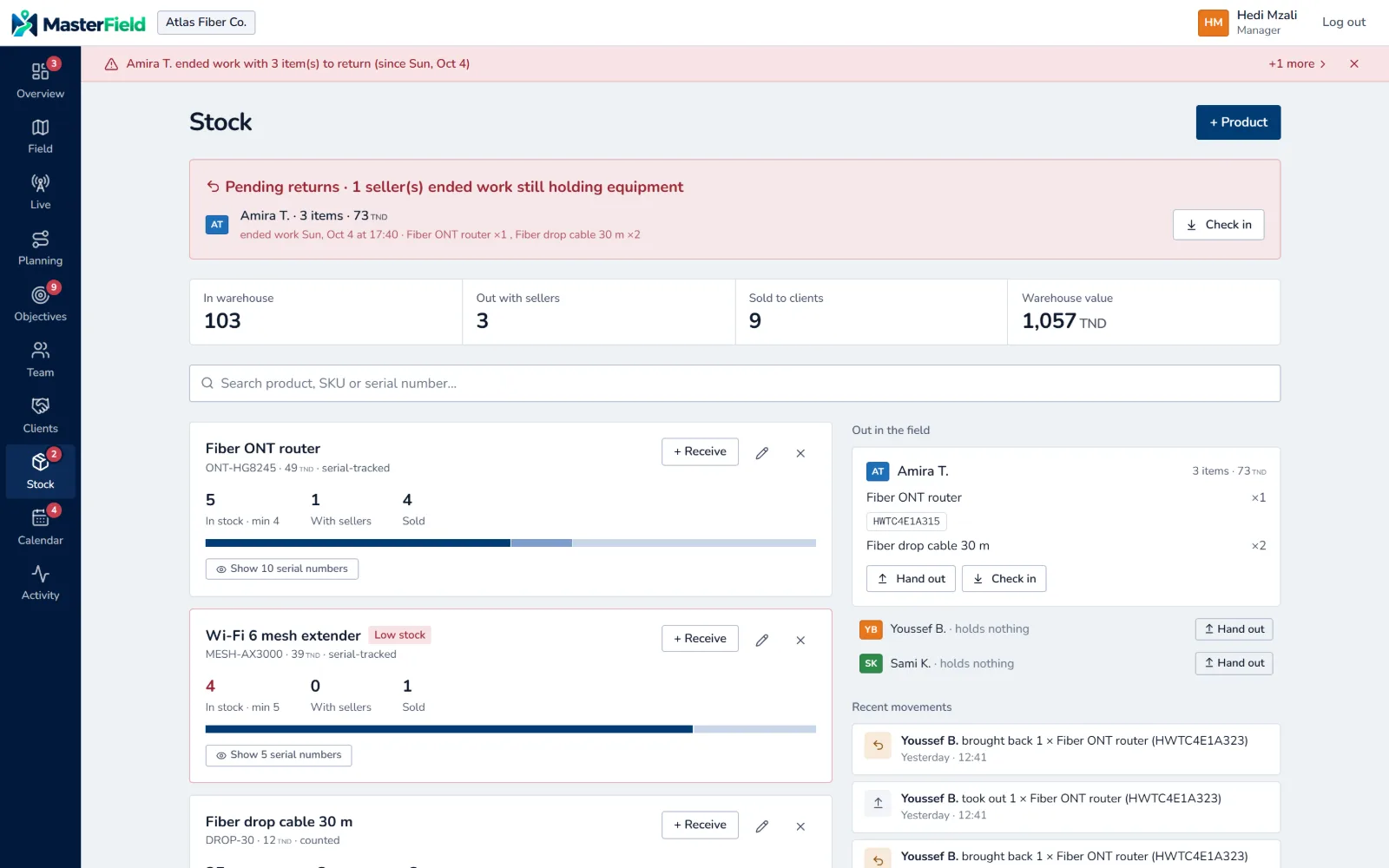
Equipment tracked by serial number
Routers, extenders, cables: managers hand them out, sellers install them at the client’s, and what isn’t used goes back to the warehouse. Every move is recorded.
- Hand out, return and sell from the web or the app
- Alert when an item runs low
- Pending returns flagged to the manager
Objectives and pace
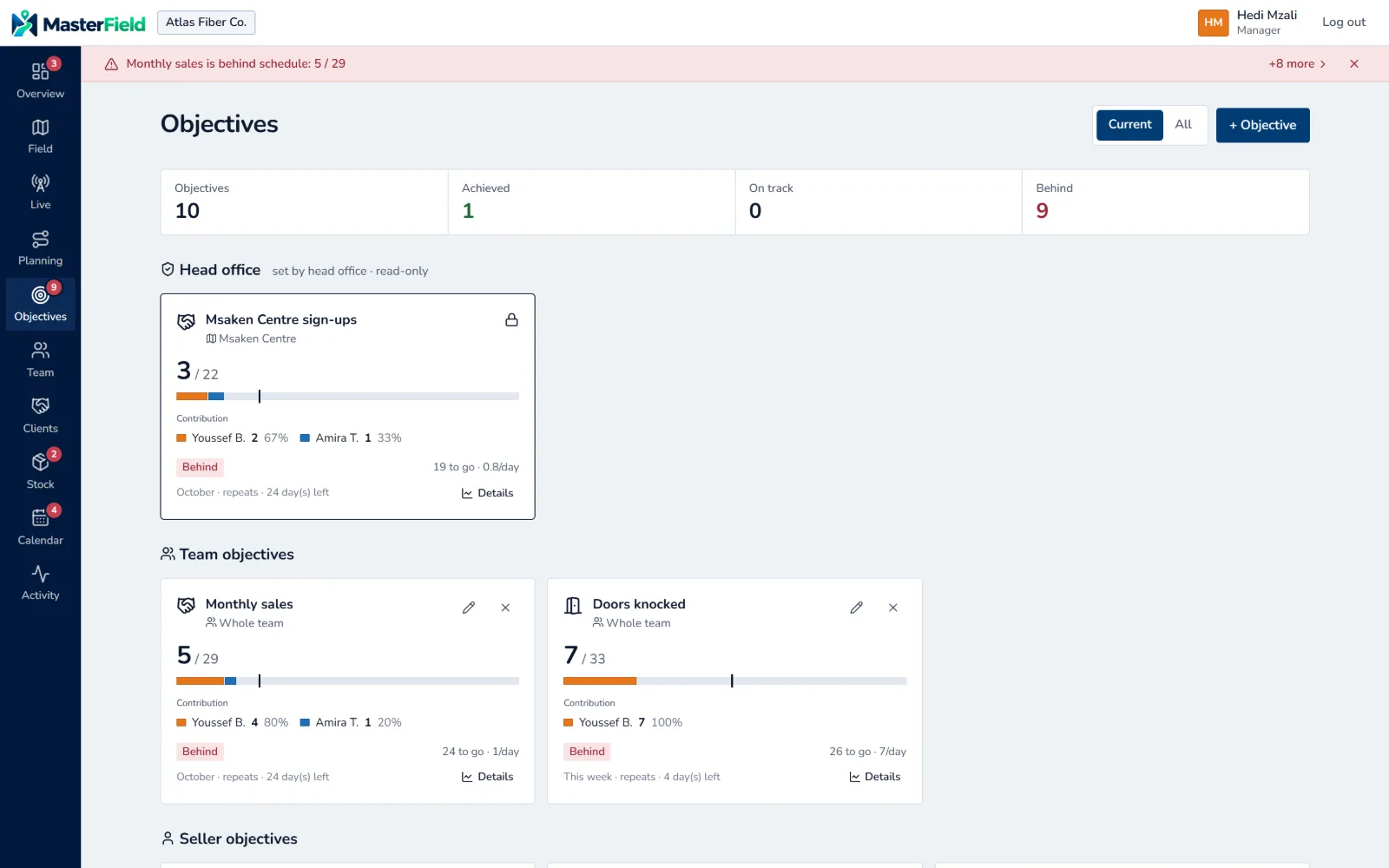
Head-office and team objectives, with each seller’s contribution and the pace needed to finish on time.
- Sales, doors, equipment, contracts or revenue
- Expected pace and days left
- Comparison across sales teams
Seller app
A door logged in seconds
Android and iPhone. Sellers start their day, follow their plan, log every door and sell the equipment they carry.
-
The outcome first
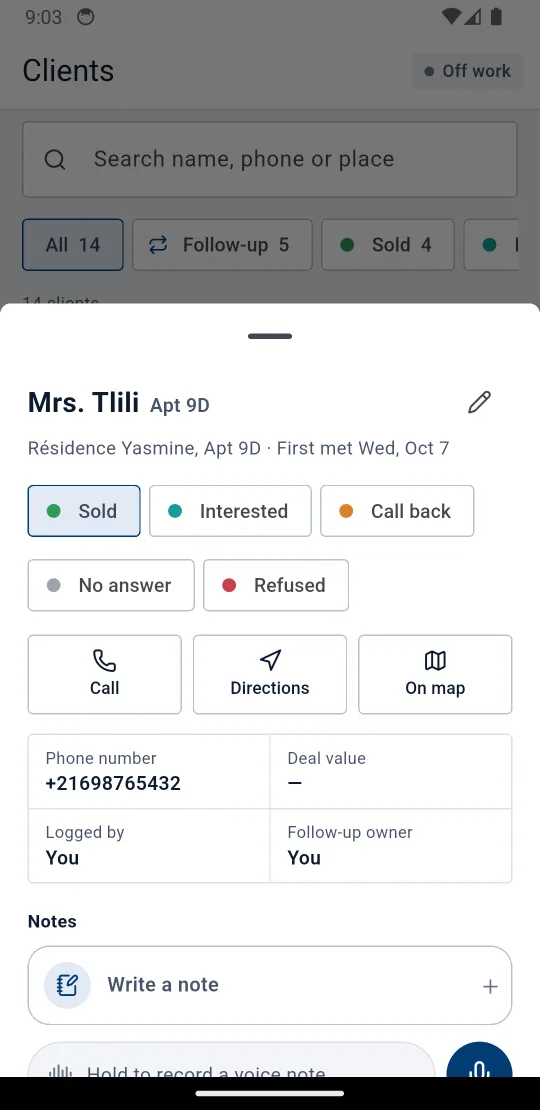
Sold, interested, call back, no answer, refused: the form adapts to the outcome.
-
Voice notes
Hold to talk, release to send, just like a messaging app.
-
Contract and papers on the spot
Contract, ID card and proof of address photographed at the sale.
-
Follow-ups
Today’s call-backs first, a call in one tap.
How it works
Three roles, one source of truth
-
01
Head office
Draws the territories, gives them to sales teams, sets objectives and compares results.
-
02
The manager
Plans the day, hands out equipment, follows the team live and chases what is late.
-
03
The seller
Knocks on doors, logs every outcome and sells on the spot; everything flows back to the manager.
Frequently asked questions
Who is MasterField for?
Fiber and telecom operators, and their partners, who sell door to door with teams of sellers led by managers.
Does the seller app work without signal?
Yes. Every door, follow-up, photo or voice note is saved on the phone and sent once signal returns, never twice.
Which devices?
The seller app runs on Android and iPhone. Managers and head office use the web platform in the browser.
Are sellers tracked all the time?
No. Positions are only sent during working hours, between “Start work” and “End work”.
Can we import our existing buildings?
Yes, from a CSV or GeoJSON file, then assign them to sales teams.
Which languages?
French and English, on the web and in the app.
How is data protected?
Role-based access (head office, manager, seller), hashed passwords and PINs, time-limited sessions. Each sales team only sees its own data.
How much does it cost?
Pricing depends on the number of sellers and modules. Request a demo and we will come back with a proposal.
Demo
Let’s see it on your ground
Leave your details and we will show you MasterField with your own zones and teams.